Two weapon profiles
Select separate weapons, tiers, recoil settings and movement preferences for Primary and Secondary.
Weapon tiers, amplification & tuning
ARC Raiders · Cronus Zen
Two weapon profiles, tier-specific selections and amplification choices. Tune your recoil, shot timing and movement around the equipment you take into a raid.

EXPLORE VALKYRIE
Choose a feature to see how it fits into your setup.
Configure these features to match your game and controller. Full setup and activation instructions are included in your customer guide after access is activated.
NEW IN v1.21
Choose standard or amplified behavior for Hairpin, Burletta, Kettle, Canto and Bettina selections. Kettle also has X-Rounds. These choices are saved separately for Primary and Secondary.
WEAPONS
Pick the correct weapon and tier from 49 selections, including Bantam and Stiletto I–IV. A listed selection is not a promise of a nonzero built-in recoil pattern; Basic mode supplies manual correction.
TIMING
Tune the shot delay for supported selections and amplification states. Weapon-mode automatic rapid fire normally uses Aim + Fire; Hip Rapid Fire extends eligible behavior to hip fire.
MOVEMENT
Use Aim + Ping for Crouch Shot, or Aim while sprinting for Sprint Slide. Crouch on Aim, Auto Sprint and Easy Roll give you additional control choices.
CONTROL
Use Automatic or Manual profile switching, correct a mismatch with Aim + weapon swap, and enter Lobby Mode when you need to pause the gameplay features.
Make it yours
A closer look at the controls included in Valkyrie.
Select separate weapons, tiers, recoil settings and movement preferences for Primary and Secondary.
Match eligible weapons to their amplification state; Kettle has a separate X-Rounds choice.
Use manual vertical/horizontal correction or a supported weapon pattern with saved adjustments.
Separate aim/fire radius settings for each profile. Set the shared Aim Speed and Fire Speed on Profile 1.
Adjust delays for supported weapons and amplification states; add Hip Rapid Fire when wanted.
Crouch during aiming with movement conditions that respect Auto Sprint.
Use Aim + Ping to crouch and fire through the shortcut.
Press Aim while sprinting with strong movement input to slide.
Add automatic sprint input or roll with a quick double-click of the moving left stick.
Send Ping when aiming and starting to fire.
Send a reload input after you release Fire. This is an input shortcut, not magazine detection.
Repeat the flashlight action while holding D-Pad Right.
Choose bumper aiming/firing and full trigger output when a trigger registers.
Block physical rumble while keeping feedback available; configure weapon display behavior.
Set right-stick deadzone and update speed, match inverted aiming, and pause with Lobby Mode.
Check before you start
Start with a supported connection, then match the settings in your customer guide.
| You need | What to check |
|---|---|
| Cronus Zen | A working Zen setup for your platform and input device. |
| Platform | Supported platforms: PS5, Xbox Series X|S and PC. Keep the game’s default action layout and vibration enabled in the game and console/system. Use the script’s Flipped option for bumper aiming and firing. |
| Controller or mouse & keyboard | Follow the input-specific setup instructions. Fine tuning depends on your configuration. |
| Discord account | Link Discord to use the script and access customer support and documentation. |
From access to first test
Set up both profiles and match each weapon’s tier and amplification state before testing its timing.
Select an available trial, monthly subscription or one-time option.
Sign in or link Discord after paid checkout so your access can be recognized.
Find the script in Zen Studio Live, program it to a slot and complete activation if prompted.
Set up both profiles and match each weapon’s tier and amplification state before testing its timing.
Before you choose
Clear expectations make setup easier.
Valkyrie now offers 49 weapon selections and per-profile amplification choices, including Kettle X-Rounds. This update uses a new saved-settings format; older settings will not transfer.
No. Choose it on the Weapon row in Recoil Assist. The guide explains the Amplify and X-Rounds buttons and the display markers.
No. It sends Reload when you release Fire, so you decide whether that shortcut suits your play style.
Your setup guide is included after your access is activated. Product pages explain the features; customer instructions are available in your account.
The current options are shown in the purchase card above. Monthly access renews until canceled; the one-time option has no renewal. Trial eligibility requires Discord sign-in.
Valkyrie combines the controls described above with setup documentation and Discord support while you have access. Choose settings that match your controller and the game.
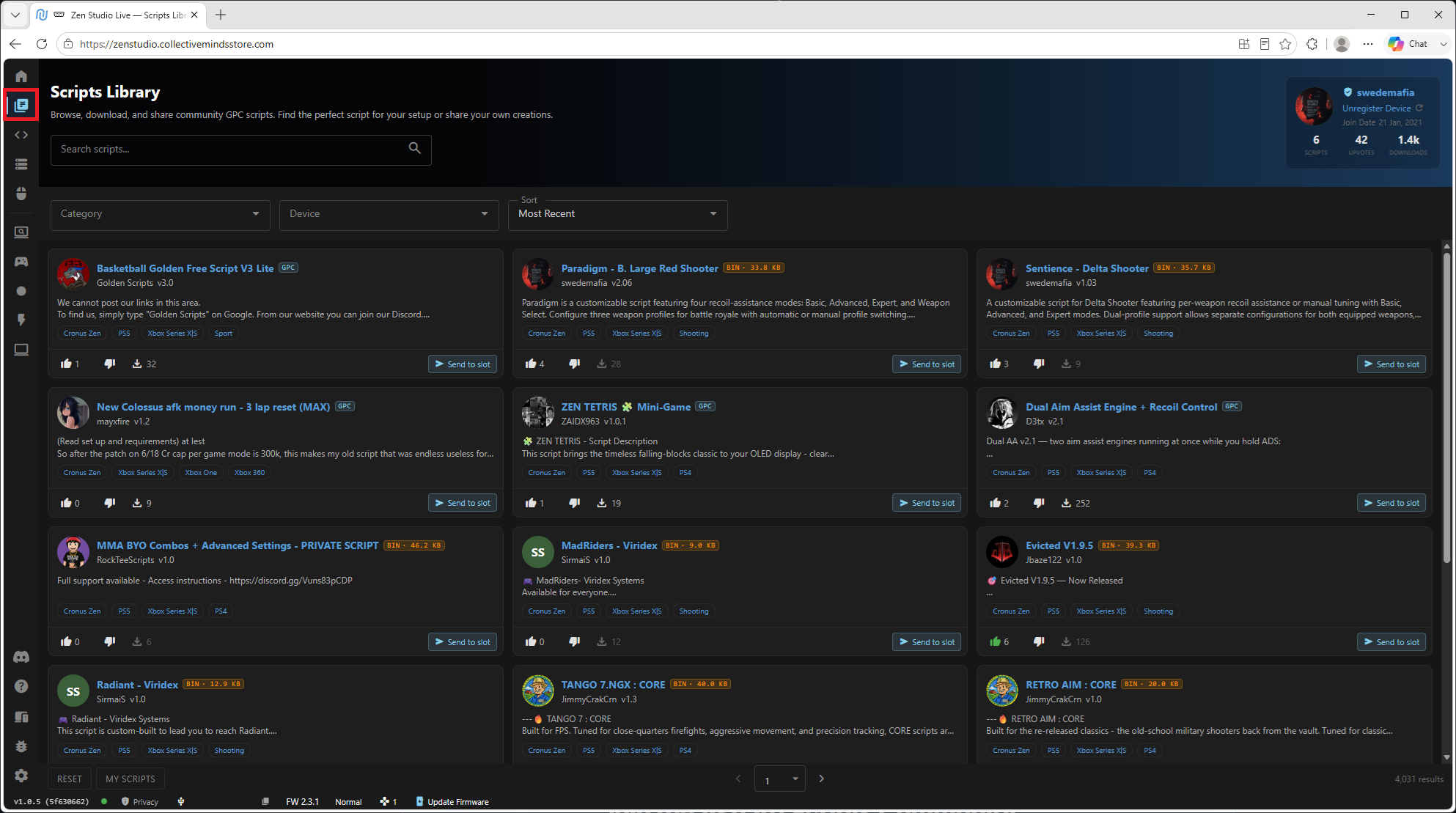
Load your script through Zen Studio Live, follow the step-by-step guide in your account after activation, and ask in Discord if you get stuck — the people who wrote the script answer the questions. No coding, no flashing, no guesswork.
Check your platform, explore the features, then choose your access.
Hi! How can we help?
This conversation has ended.
End this chat?
Leave an email address and we'll send our reply there — even after you go.