
Delta Force Cronus Zen Script — Sentience
Sentience is a Delta Force Cronus Zen script with per-weapon recoil assistance, three tuning modes, dual profiles, and configurable aim settings.
Auto-renews, cancel anytime.
Login with Discord to subscribe- Sentience configuration script for Delta Force, delivered through Zen Studio Live
- Instant access after purchase
- Script updates as needed (while subscribed or via one-time purchase)
- Access to the community and online setup documentation
- Discord-based support and private channels
- Settings shared in our Discord by our community
- No coding required — 5–10 minute setup with our guide
- Every update logged publicly on the Sentience change log
- No account needed — check out as guest and link your Discord after purchase
Sentience for Delta Force updated for Season 11. Sentience is a Cronus Zen-compatible configuration script for Delta Force. Its per-weapon recoil assistance comes in Basic, Advanced, and Expert modes — select a weapon from the built-in list or tune values yourself in the recoil editor. Aim-assist settings, adjustable separately for aiming and firing, are designed to work alongside the game's built-in aim assist, and dual-profile support keeps a saved configuration for each of your two in-game weapons. Combat and movement options — Auto Ping, Rapid Fire, Fast Melee, Bunny Hop, Crouch Shot — can be bound to quick toggles for fast on/off control, and Vehicle Mode automatically disables selected features while you drive.
To get started, choose the $50 one-time purchase, $7 monthly subscription, or free 1-week trial. After checkout or trial activation, link your Discord account, register your Cronus Zen device serial, and follow the activation and setup instructions provided with your order. Most setups take about 5–10 minutes and require no coding.
Sentience is an unofficial, third-party configuration tool. Delta Force and all game names are trademarks of their respective owners; Asgard Scripts is not affiliated with, endorsed by, or approved by any game publisher, console maker, or the maker of Cronus Zen. Many online games prohibit input-modification tools — you are responsible for following the rules of any game or platform you play.
Features
-
Recoil Assistance
Select your weapon from the built-in list or configure recoil assistance manually.
-
Recoil Editor
Per-weapon recoil assistance in three tuning modes — Basic, Advanced, and Expert. Select your weapon from the built-in list or configure the values manually.
-
Aim Assistance
Adjustable aim, aim & firing, hip, hip-fire, and strafe assist settings that work alongside the game's built-in aim assist.
-
Combat Features
Auto Ping, Auto Rapid Fire, Fast Melee, and Rapid Fire.
-
Movement Features
Bunny Hop and Crouch Shot.
-
Customizable Button Layout
Support for custom button layouts.
-
Adjustable Input Latency
Configure the device polling rate and VM speed to suit your setup.
-
Anti-Drift Calibration
Calibrate your gamepad stick input to reduce unintended drift.
-
Block Vibration
Prevent your controller from vibrating.
-
Dual-Profile Support
Configure two weapon setups, one for each of your in-game weapons.
-
Flipped Bumpers & Triggers
Support for swapping L1/R1 with L2/R2.
-
Hair Triggers
Instant trigger response.
-
Inverted Y-Axis
Support for inverted-look players.
-
Quick Toggles
Bind features to controller toggles for fast on/off control.
-
Vehicle Mode
Automatically disables selected features while you are in a vehicle.
How Sentience works — three tuning modes explained
- Configure the required in-game settings using the setup guide.
- Pick a tuning mode and set up your aim and recoil assistance.
- Choose which combat and movement features to enable.
- Select your weapons quickly as you play.
Sentience's recoil assistance has three levels of control. They are not three different strengths — they are three depths of access to the same system, and you can move between them at any time.
- Basic — the fastest way to play. Select your weapon from the built-in list and the matching recoil values load for you. No tuning required.
- Advanced — the middle ground. Start from a built-in weapon profile and adjust it, rather than building from zero.
- Expert — full manual control. Set the recoil values yourself in the recoil editor, per weapon, with no built-in profile underneath.
If you don't want to tune, stay in Basic. Move a weapon into Advanced when its built-in profile doesn't suit your sensitivity. Expert is for players who already know what values they want. No mode is "better" — results depend on your sensitivity, attachments and hardware, so expect to tune.
Two profiles, two weapons
Sentience stores a separate configuration for each of the two weapons in your Delta Force loadout, so your primary and your secondary each keep their own recoil and aim settings. Switch profiles as your active weapon changes — you don't re-tune mid-match.
Game modes
Sentience runs on your Cronus Zen and works on your controller input, so it isn't tied to a particular Delta Force mode — the same configuration applies wherever you play, including Warfare and Operations. Your in-game sensitivity and aim settings are what change the result, not the mode you queue into.
- If something isn't working during setup, see Cronus Zen troubleshooting.
Requirements and platform compatibility
- Cronus Zen device — Sentience runs on the Zen, not on your console or PC.
- Discord account — used to link your purchase and deliver the script. Free.
- Delta Force on a platform your Cronus Zen supports.
Platform and input compatibility
Sentience works wherever your Cronus Zen works:
- Consoles: PS4, PS5, Xbox One, Xbox Series X|S
- PC
- Inputs: controller, or mouse & keyboard
- Sentience does not add platform support of its own — if your Cronus Zen is set up correctly for your console and controller, Sentience works there. Platform setup is a device question, not a script question: see the Cronus Zen setup guide, or the PlayStation 5 setup guide if you're on PS5.
Highlights
Version 1.04 — updated October 8, 2026. See the Sentience change log.
- Per-weapon recoil assist with Basic, Advanced, and Expert modes
- Adjustable to your sensitivity settings
- Dual profiles for both in-game weapons
- Quick toggles and Vehicle Mode
- Support for any button layout
- Works with any device-supported controller or mouse & keyboard
Sentience vs a free community GPC script
Free GPC scripts for Delta Force exist and some of them are good. Here's the honest difference, so you can decide whether paying is worth it for you:
| Sentience | A free community GPC file | |
| Price | $50 one-time, or $7/month | Free |
| Try before you buy | Free 1-week trial | Free by definition |
| Updates | Versioned and published — currently v1.04, with a public change log | Whatever the author chooses to publish, if they're still active |
| Support | Discord-based support and private channels | Usually none — a forum or comment thread |
| Setup | Online documentation, 5–10 minutes, no coding | You load the .gpc yourself and read the code |
| Delivery | Through Zen Studio Live after Discord + device-serial link | You download a file and trust the source |
| Tuning | Built-in weapon list, recoil editor, Basic/Advanced/Expert modes | Varies — often values hard-coded in the script |
If you're comfortable reading GPC and tuning values by hand, a free script may be all you need — that's a real option and we're not going to pretend otherwise. Sentience is for people who'd rather pay once and have it maintained, documented and supported.
Play more than one game? Sentience is also included in Asgard Gold, our all-access Cronus Zen script subscription — every Asgard script for $17/month, or $125 one-time.
Frequently asked questions
What is Sentience?
What are the Basic, Advanced, and Expert modes?
How do the two weapon profiles work?
How is Sentience delivered and installed?
Which platforms and input devices does Sentience support?
Which Delta Force weapons are supported?
How are Sentience updates handled?
Does Sentience guarantee zero recoil?
Is Sentience allowed in Delta Force?
How much does Sentience cost?
Does Sentience work in every Delta Force mode?
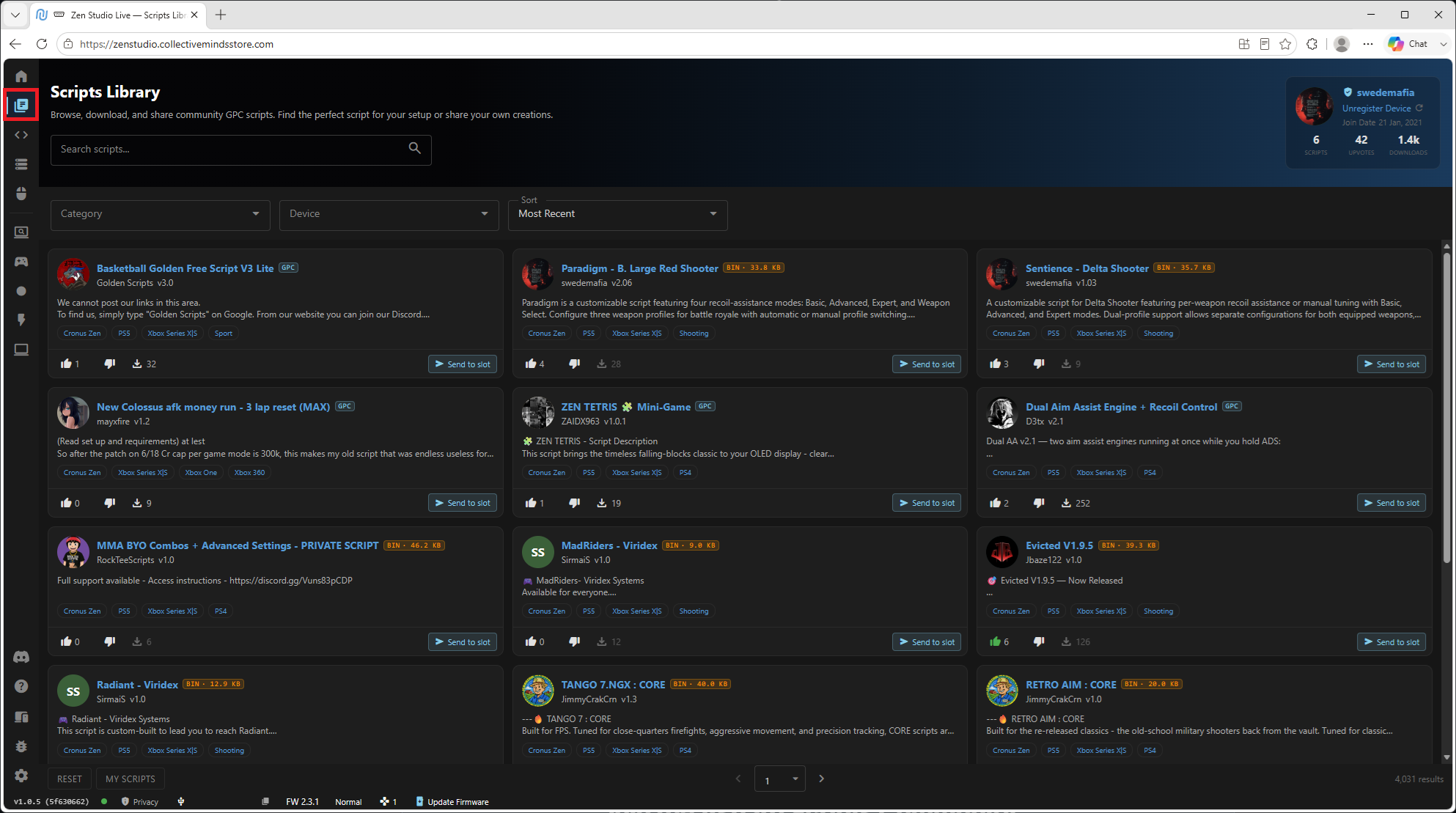
Every script comes with a full setup guide
Load your script through Zen Studio, follow the step-by-step guide in your account, and ask in Discord if you get stuck — the people who wrote the script answer the questions. No coding, no flashing, no guesswork.
More from the store

All-Access Cronus Zen Script Subscription — Asgard Gold
Asgard Gold is an all-access Cronus Zen script membership for Asgard's game-specific products, documentation, updates, and Discord-based support.

Apex Legends Cronus Zen Script — Prism
Prism is an Apex Legends Cronus Zen script with per-weapon recoil profiles, weapon detection on PS5 and PC, adjustable aim tuning, and movement features.

ARC Raiders Cronus Zen Script — Valkyrie
Valkyrie is an ARC Raiders Cronus Zen script for PS5, Xbox Series X|S, and PC with per-weapon recoil assistance, dual weapon profiles, and movement options.